Blender 4.0 Guide
Learn 3D modeling, animation, lighting and video editing
ℹ️ Software Info
📊 Level: Beginner to Advanced
🏷️ Categories: Blender, 3D modeling, animation, lighting, video editing
💰 Price: Completely free (open source)
🔗 Source: blender.org — official website
🖥️ Operating systems: Windows, macOS, Linux
📦 Version: Blender 4.0+
📝 Description
Blender 4.0 is the world's most powerful free and open-source 3D content creation software. It offers a complete set of tools for modeling, animation, lighting, materials, rendering and editing, making it a genuine competitor to paid software like Maya, 3ds Max and Cinema 4D.
Version 4.0 brings major updates to the EEVEE Next render engine, better CPU support, an improved user interface and new modeling tools — raising the software to a whole new level compared to previous releases.
✨ Key Features
- Completely free and open source — no subscriptions or limits
- EEVEE Next render engine with ray tracing and realistic paths
- Cycles engine for photorealistic path-traced rendering
- Advanced modeling tools: editing, sculpting, retopology
- Powerful animation system with armature and morph target support
- Physics simulation engine: fluids, smoke, hair, cloth
- Built-in video editor
- Node-based compositor for visual effects
- Flexible and powerful node material system (Shader Nodes)
- Python add-on support and a full API
- SVG support and opening CAD/studio files
- Continuous updates and a huge, active community
🆕 What's New in Blender 4.0
- EEVEE Next — a new render engine with realistic reflections and soft shadows
- Major viewport performance and preview-speed improvements
- Improved lighting system with advanced shadow maps
- New modeling tools: improved Mesh Boolean, Slice Fill
- Updated user interface with better icons and menus
- Geometry Nodes improvements with new nodes
- Better support for modern graphics cards (GPU Rendering)
- Improved Materials system with Specular and Sheen added
🖱️ Software Interface
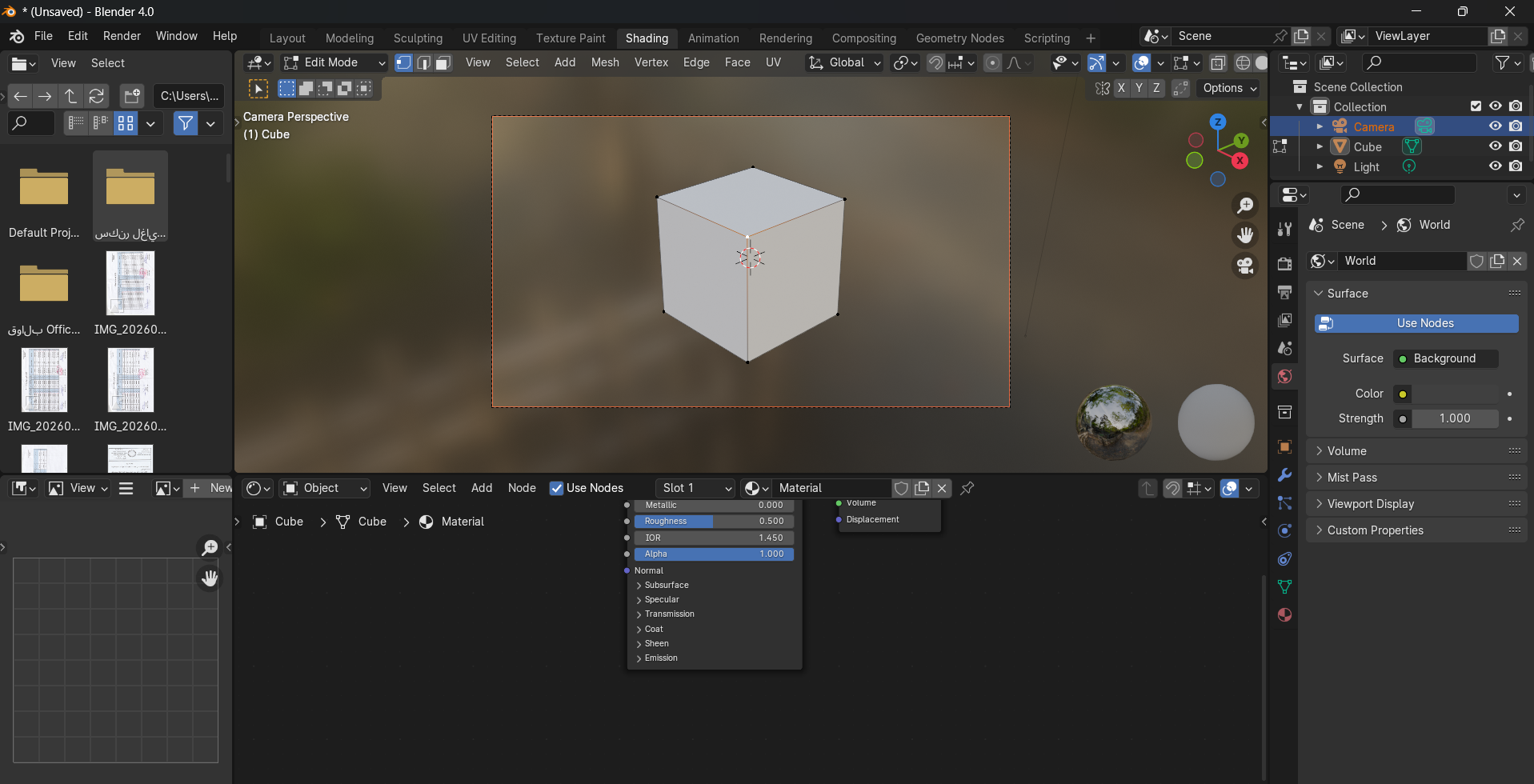
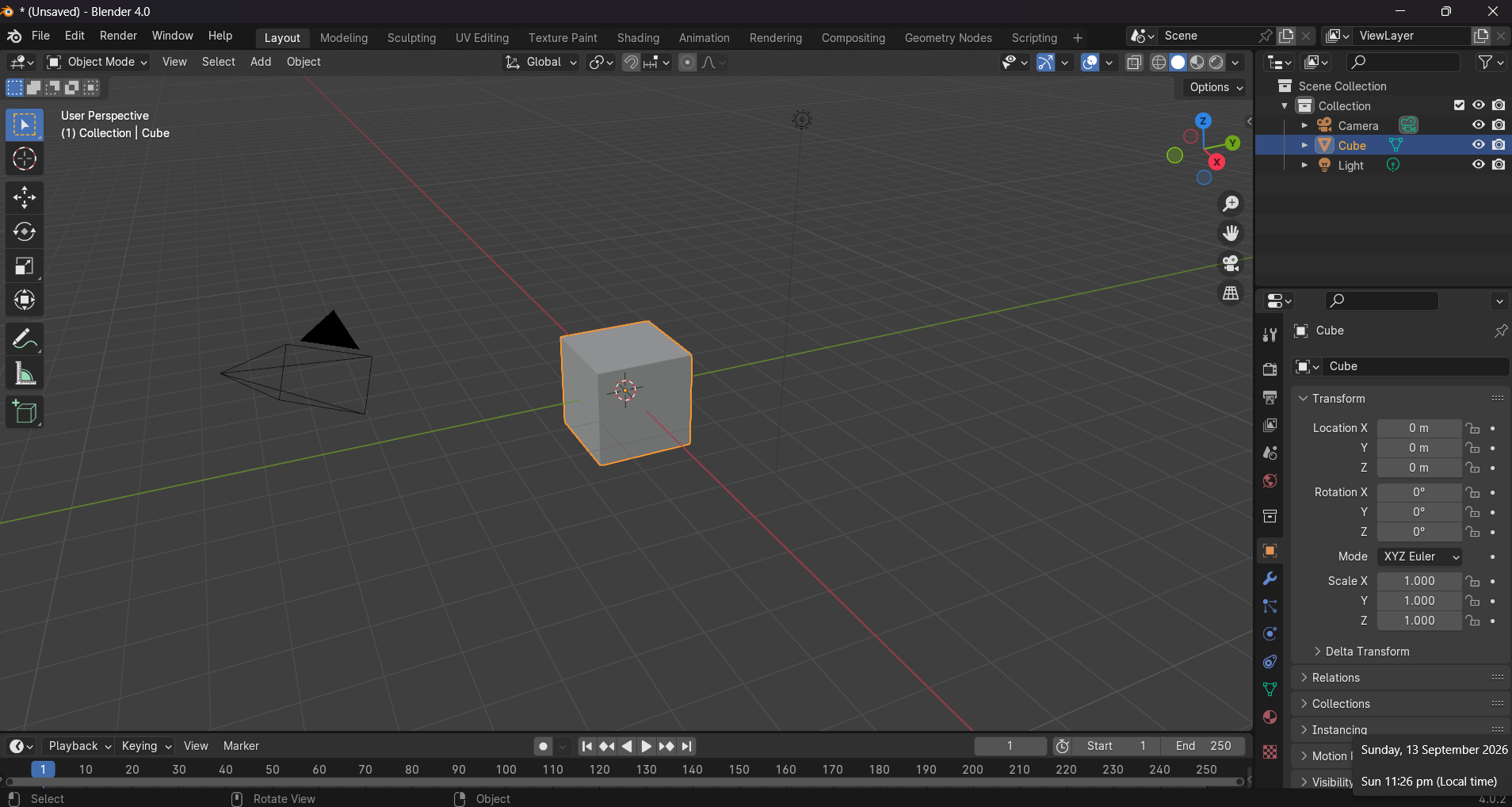
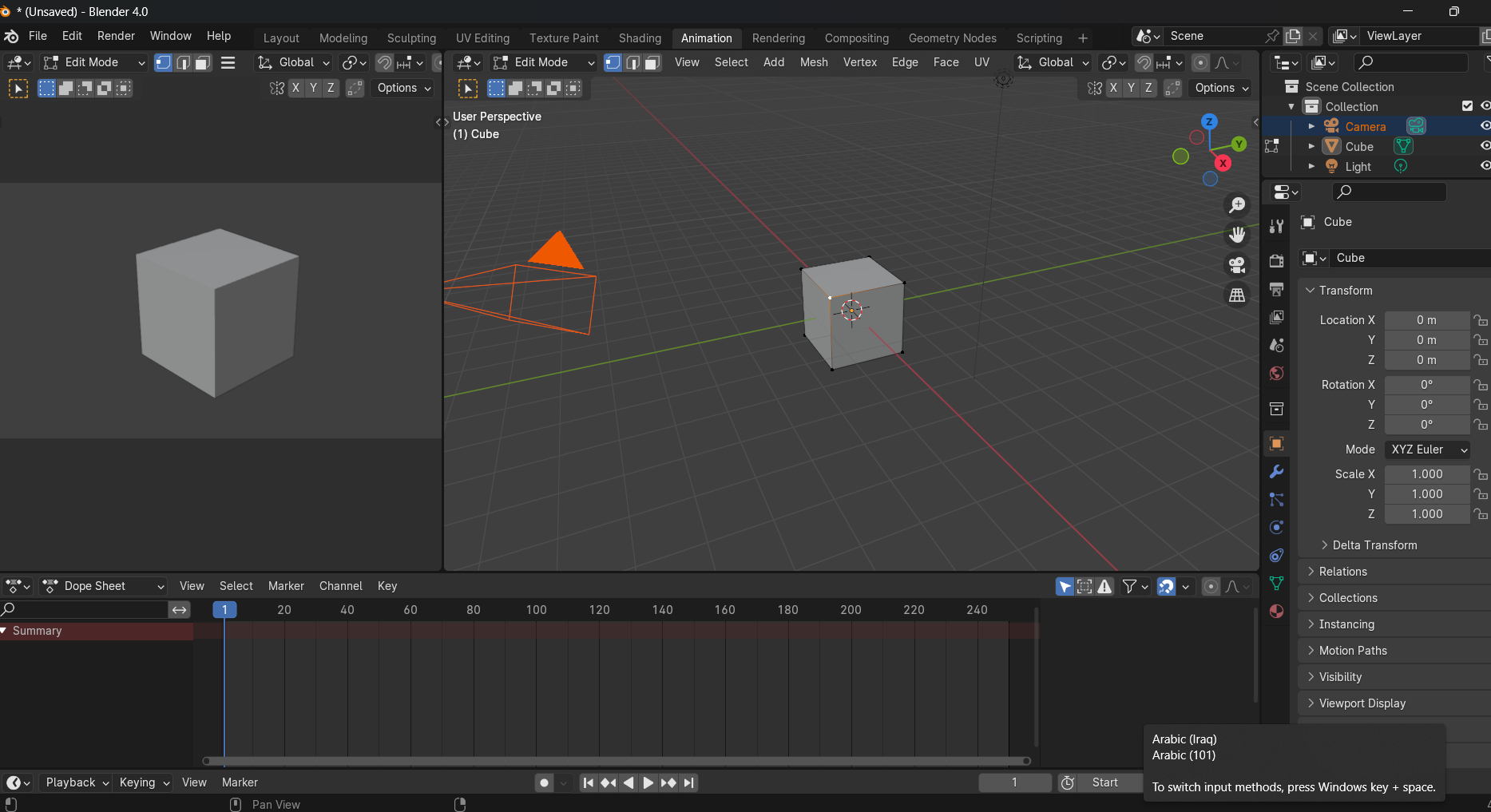
The Blender 4.0 interface is designed to be flexible and fully customizable. It consists of several main areas:
- 3D Viewport: the main area for viewing and editing the 3D scene
- Outliner: a tree view of the scene — all objects and collections
- Properties: the properties panel — edit object, material and lighting settings
- Timeline: the timeline for animation and keyframing
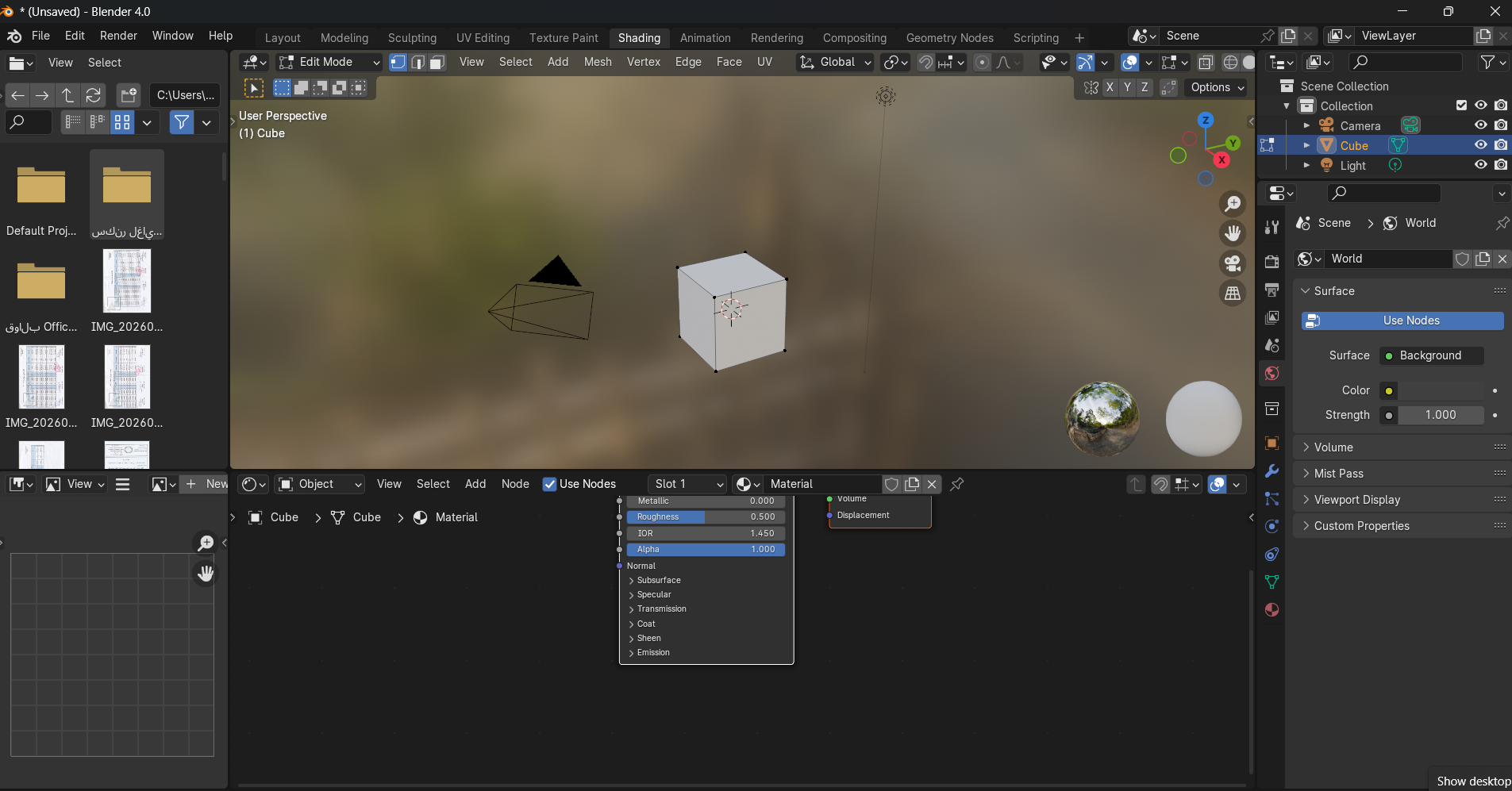
- Shader Editor: the node material editor to create and edit materials
- Topbar: the menu bar and workspace tabs (Layout, Modeling, Shading...)
📚 Tutorial Sections
1️⃣ Modeling
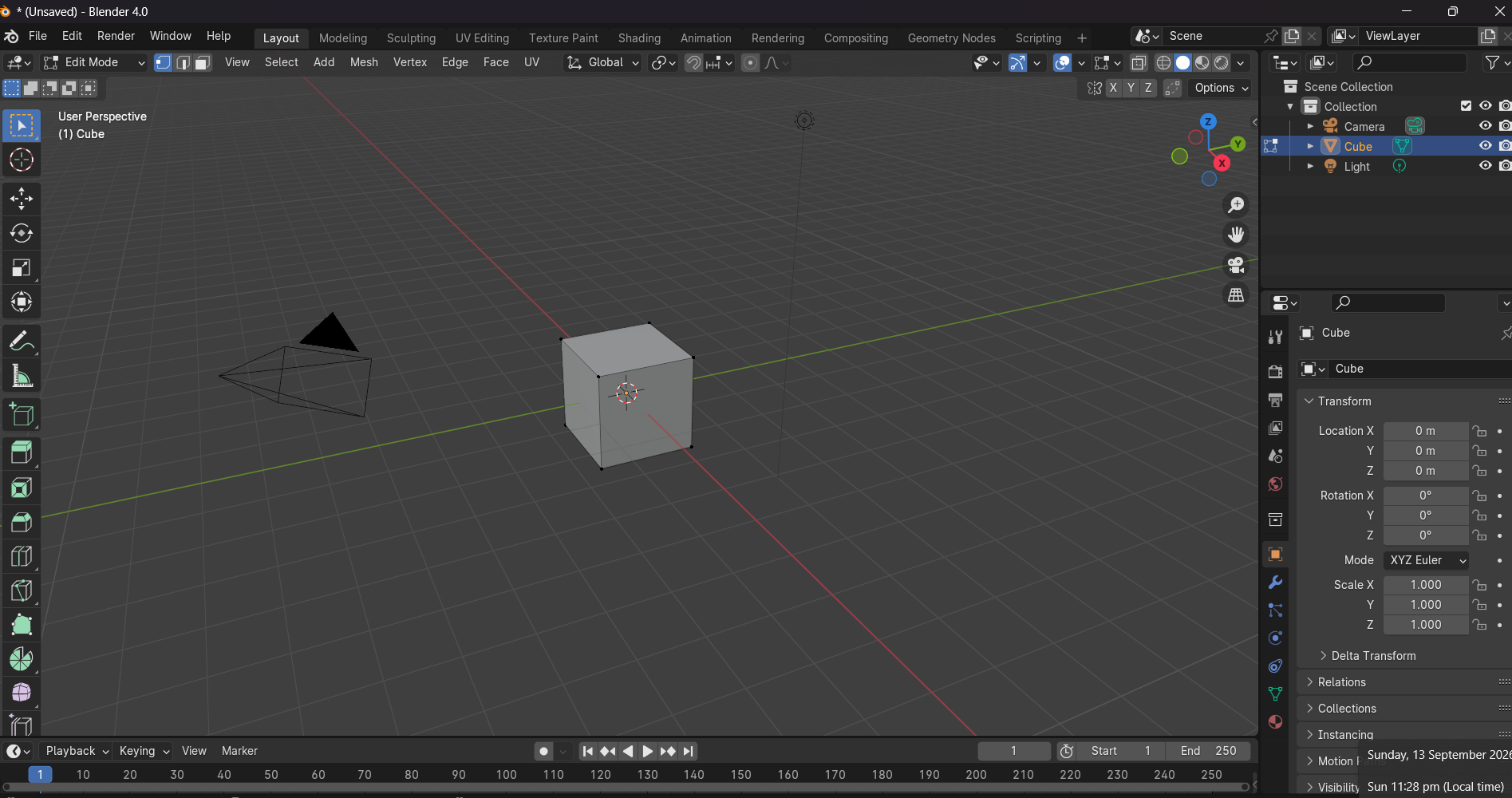
Learn the basics of creating 3D objects from scratch. This covers editing vertices, edges and faces, using modifiers like Subdivision Surface, Mirror and Boolean, and digital sculpting for organic detail.
2️⃣ Shading & Lighting
How to create realistic materials using the node system (Principled BSDF), and add suitable lighting to the scene with environment (HDRIs) and camera settings for the best result.
3️⃣ Animation
The basics of keyframe animation, creating character armatures (rigging), and applying realistic motion with animation curves (F-Curves) and the NLA Editor.
4️⃣ Simulation
Simulate fluids, smoke, fire, hair and cloth using the MantaFlow, Cloth and Particle System engines to achieve realistic physics effects.
5️⃣ Rendering
The difference between the Cycles and EEVEE Next engines and when to use each. Adjust quality and speed settings, and produce the project's final render.
6️⃣ Compositing & Video Editing
Use the node compositor to add visual effects and color correction, and the video editor to cut and arrange clips with transitions and sound effects.
⬇️ Download
⚠️ Disclaimer: the link below leads to the software's official website. We do not host any files.
🌐 Go to the official website📋 System Requirements
- Minimum: 64-bit quad-core CPU, 8 GB RAM, graphics card with OpenGL 4.3 support
- Recommended: 64-bit eight-core CPU or higher, 16-32 GB RAM
- Graphics card: NVIDIA RTX or AMD Radeon with CUDA/OptiX or HIP support for fast rendering
- 500 MB storage for the software + extra space for projects
- Windows 10/11 64-bit, macOS 12+ (Intel or Apple Silicon), Linux
- Three-button mouse (recommended) or a mouse with extra buttons
💡 Tips for Beginners
- Start by learning the basic shortcuts — Blender relies heavily on the keyboard
- Use the ready-made workspaces (Layout for design, Shading for materials...)
- Watch community tutorials on YouTube — there is excellent content
- Progress gradually: modeling → materials → lighting → animation → rendering
- Save your project constantly — Blender may occasionally close unexpectedly
- Try the free add-ons from the Blender Market repository
❓ Frequently Asked Questions
Is Blender really free?
Yes, Blender is completely free and open source under the GPL license. There is no paid version or subscriptions. You can use it commercially without any restrictions.
Can Blender be used for professional work?
Absolutely! Many major studios use Blender in film, advertising and game production. The 2025 Oscar-winning film "Flow" was made entirely in Blender.
What's the difference between Cycles and EEVEE Next?
Cycles is based on ray tracing, giving accurate photorealistic results but it's slower. EEVEE Next is much faster and works in real time, ideal for previews and projects that don't need absolute precision.
Do I need a powerful graphics card to run Blender?
Blender runs on most modern devices, but a modern graphics card (NVIDIA RTX or AMD Radeon) greatly speeds up rendering. For basic learning, any card with OpenGL 4.3 is enough.
How can I learn Blender quickly?
Start with the official beginner donuts on blender.org, then move on to small projects. Daily practice matters more than theory. Set a goal: model a cup, a chair, a room, then a simple character.